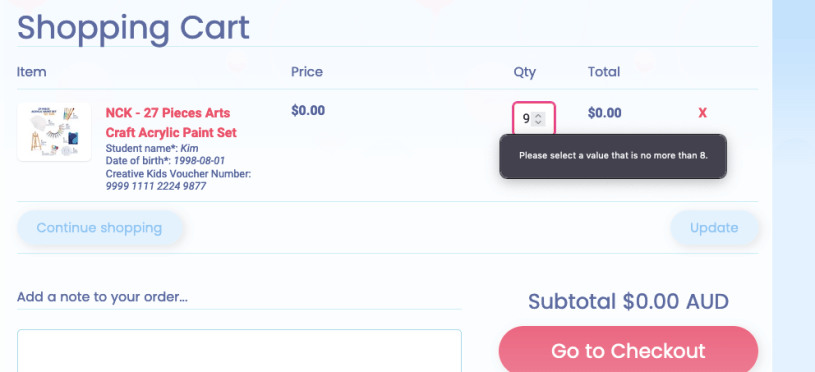
For demonstration purposes we have the max update qty limit upto 8. Let’s see how we can limit the update qty by deploying the following code.
1. Through the admin account Go to-> cart-template.liquid file
2. Search the word “Quantity“. Depending on your theme it should look like the following just after label section –
Example:
<div class=”cart-col4″>
<label for=”updates_{{ item.id }}”>{{ ‘cart.general.quantity’ | t }}</label>
<input class=”{{className}}” data-stk=”{{item.variant.inventory_quantity}}” data-managed=”{{item.variant.inventory_management}}” data-policy=”{{item.variant.inventory_policy}}” type=”number” name=”updates[]” id=”updates_{{ item.id }}” value=”{{ item.quantity }}” min =”0″ max=”8″ />
<a class=”cart-remove-line” href=”{{ routes.cart_change_url }}?line={{ forloop.index }}&quantity=0″>{{ ‘cart.general.remove’ | t }}</a>
</div>

3. Inside the <input> element, change the type to “number” if on text.
4. add min=”(number of the min quantity limit)” eg: min=”0” and max=”(number of the max quantity limit)” eg : max =”8″ after value.
The liquid should look like this :
<input class=”{{className}}” data-stk=”{{item.variant.inventory_quantity}}” data-managed=”{{item.variant.inventory_management}}” data-policy=”{{item.variant.inventory_policy}}” type=”number” name=”updates[]” id=”updates_{{ item.id }}” value=”{{ item.quantity }}” min =”0″ max=”8″ />
5. Save it and hopefully it works for you.
 Sadia's NOTES